


Take a quick look at the Market Advisor quoting tools as we run a Medicare Supplement quote.

Easily find, save and update data based on client’s changing needs, year after year.

Take a look at our new Medicare Supplement underwriting filter which will display carriers that will accept selected health conditions and medications.

Watch as we put two quotes from different product lines, side by side — a convenient feature when cross-selling.

Watch a full demonstration of the Medicare Advantage and Part D quoting tool. Learn how to compare plan benefits, view enrollment data and check carrier formulary and pharmacy websites.
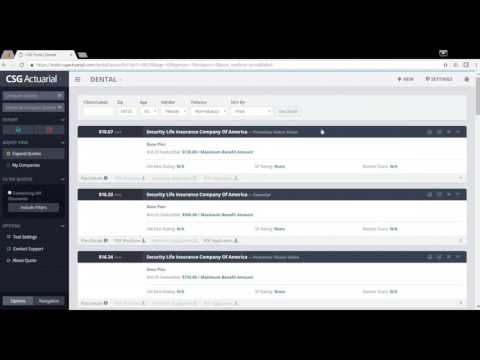
A short demonstration of CSG’s dental and vision solutions quoting tool.

A short demonstration of CSG’s Term, IUL & Final Expense Life quoting tool.

Check out the ultimate Medicare Advantage and Hospital Indemnity cross-selling tool. Run a side-by-side comparison of how a Hospital Indemnity plan can help fill the gaps of a Medicare Advantage Plan. Compare multiple Med Adv and Hospital Indemnity plans at the same time.

A demonstration of the Medigap Website Plug-in via Free Medicare Report. Provide a way for your customers to run a Medicare Supplement quote from your website.

Add new clients or upload client and lead lists to Client Manager. Store client’s name, address, date of birth, contact information and current plan details. Quickly generate a quote and save quote history.

Use easy filtering process to create targeted client lists by a number of demographics and current plan details.

Save time by quoting multiple clients at once! Client Manager will determine their lowest premium options from your selected group of carriers. Compare clients’ current premium to new quote results. Export and save.

See everything the Client Manager feature has to offer. Learn how to access the client dashboard page, create new client profiles and upload client lists, search, filter and create client segments and run multiple quotes for clients at once.