



The email signature option is a quick and easy way to capture a Scope of Appointment when you are not seeing a client in-person. This tutorial video walks you through the process and shows you the steps your client will take to e-sign.

Discover how to create an Electronic Scope of Appointment document. Then see how to save, store, and search for it among other forms or files you’ve uploaded to your Document Locker.

In this tutorial we show you how to build a list of agents meeting your criteria.

See everything the Client Manager feature has to offer. Learn how to access the client dashboard page, create new client profiles and upload client lists, search, filter and create client segments and run multiple quotes for clients at once.

Save time by quoting multiple clients at once! Client Manager will determine their lowest premium options from your selected group of carriers. Compare clients’ current premium to new quote results. Export and save.

Use easy filtering process to create targeted client lists by a number of demographics and current plan details.

Add new clients or upload client and lead lists to Client Manager. Store client’s name, address, date of birth, contact information and current plan details. Quickly generate a quote and save quote history.

Utilize the CSG e-application system for Manhattan Life, Humana and United National Life Dental plans.

Utilize the CSG e-application system for your BCBS Med Supp applications. See how to easily complete and send applications directly to the carrier from within the CSG quoting system.

Utilize the CSG e-application system for your Aetna Med Supp applications. See how to easily complete and send applications directly to the carrier from within the CSG quoting system.

Utilize the CSG e-application system for your Medico Med Supp applications. See how to easily complete and send applications directly to the carrier from within the CSG quoting system.

Utilize the CSG e-application system for your UHC Med Supp applications. See how to easily complete and send applications directly to the carrier from within the CSG quoting system.

Utilize the CSG e-application system for your Mutual of Omaha Med Supp applications. See how to easily complete and send applications directly to the carrier from within the CSG quoting system.

A demonstration of the Medigap Website Plug-in via Free Medicare Report. Provide a way for your customers to run a Medicare Supplement quote from your website.
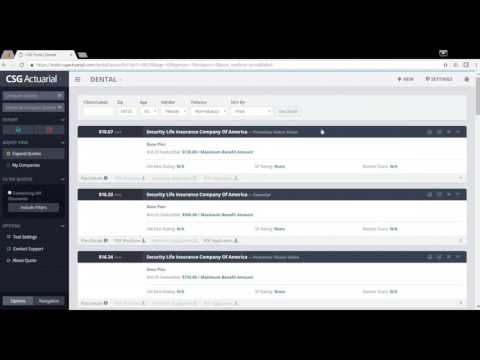
A short demonstration of CSG’s dental and vision solutions quoting tool.

A short demonstration of CSG’s Term, IUL & Final Expense Life quoting tool.

Take a look at our new Medicare Supplement underwriting filter which will display carriers that will accept selected health conditions and medications.

Easily find, save and update data based on client’s changing needs, year after year.

Watch a full demonstration of the Medicare Advantage and Part D quoting tool. Learn how to compare plan benefits, view enrollment data and check carrier formulary and pharmacy websites.

Take a quick look at the Market Advisor quoting tools as we run a Medicare Supplement quote.

Watch as we put two quotes from different product lines, side by side — a convenient feature when cross-selling.

Select location and quote parameters for a specific carrier and compare against others in the marketplace.

Pinpoint areas of opportunity by breaking down agent quoting activity and Medicare demographics by state and zip code. See how many individuals are T65, over age 65, and Med Supp vs Med Adv enrollments.

Utilize the CSG e-application system for your Aflac Med Supp applications. See how to easily complete and send applications directly to the carrier from within the CSG quoting system.
All applications are automatically saved and stored as you complete each page. Access your saved applications from your CSG application dashboard.

Utilize the CSG e-application system for your WoodmenLife Med Supp applications. See how to easily complete and send applications directly to the carrier from within the CSG quoting system.
All applications are automatically saved and stored as you complete each page. Access your saved applications from your CSG application dashboard.

Utilize the CSG e-application system for your INA and Ace Med Supp applications. See how to easily complete and send applications directly to the carrier from within the CSG quoting system.
All applications are automatically saved and stored as you complete each page. Access your saved applications from your CSG application dashboard.
Watch how quick and easy it is to submit a Dental and/or Vision application on the E-Application Platform.

CSG’s platform underwrites in real-time and will notify the agent if there are discrepancies between the underwriting type selected and the information entered. The system will inform the agent on what needs to be adjusted for the application to be submitted and/or accepted. “This applicant MAY not be issued coverage”: this message may appear if you answer Yes to any of the health questions on an underwritten application.

CSG’s e-application accepts multiple signature options that may vary by carrier. Watch how to submit an application using the applicant’s identifying information and email signature link.

Learn one carrier, learn them all. Learn how to easily submit an application on CSG’s standardized platform – start to finish.